Answer calls, respond to WhatsApp messages and give your team the context to follow up. Your business information guides every conversation.
Get started
Tell us about your calls and WhatsApp enquiries. We’ll recommend a setup that fits.
Automate your sales and phone calls.
Answer customer questions, understand buying intent, and capture every enquiry with the details needed to move forward.
Get started nowHi, are you open this Sunday? I wanted to book something.
We’re closed on Sundays, but open Saturday from 10 to 7. What time on Saturday would suit you?
Saturday morning works for me.
Great. I’ve noted Saturday morning as your preferred time.
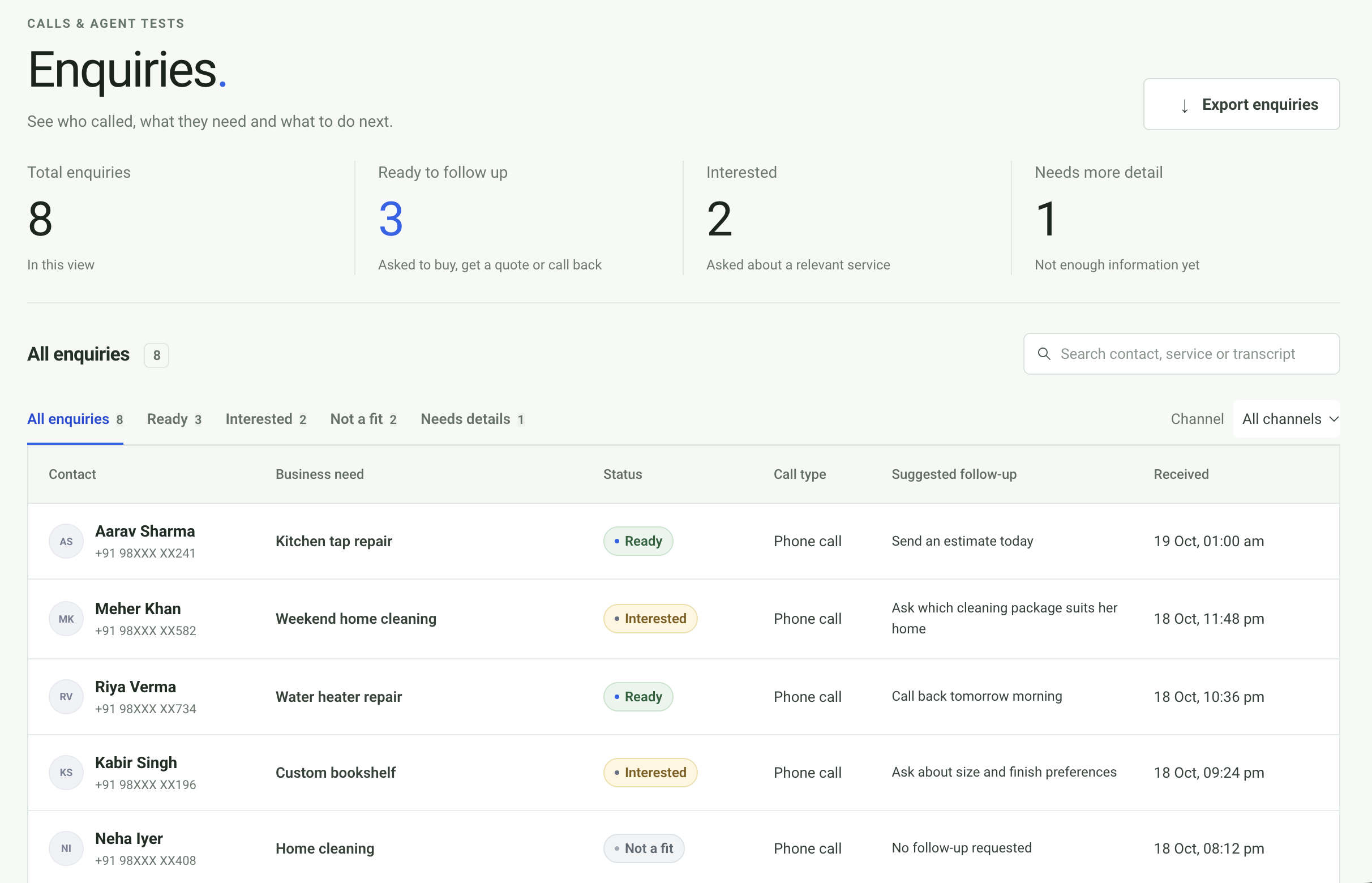
Nurture every enquiry from the first call.
Capture each caller’s needs, interest and next step automatically, so your team can follow up with the right context.
Your business details,
on every call.
Share your services, prices, opening hours and common questions once. The agent uses those details to answer consistently and capture the caller’s request.
Get started now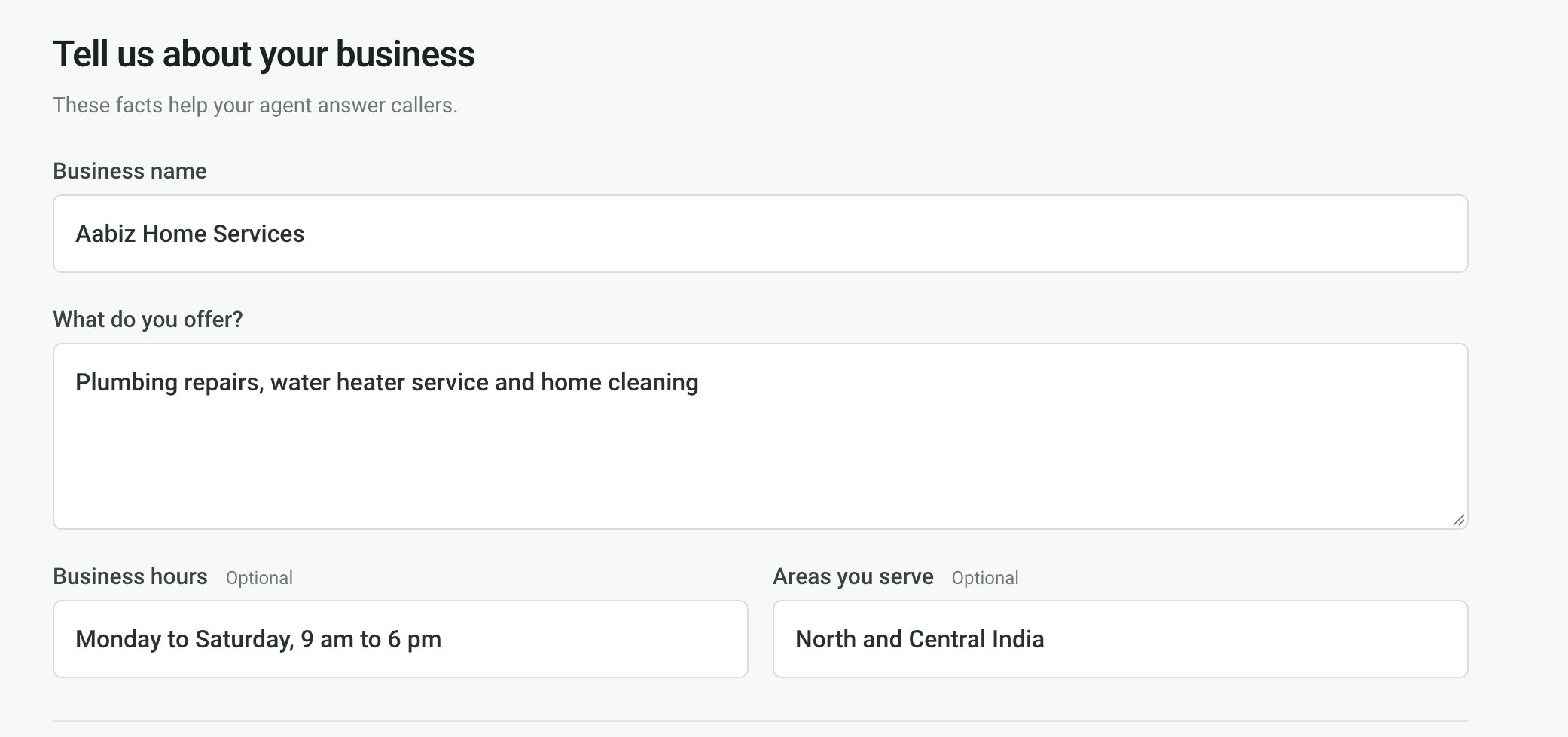
Try a conversation before you publish.
Getting started is easy.
Add your business details
Give the agent your hours, services and common questions.
Try a conversation
Test it in your browser and adjust the answers.
Publish when you’re ready
Review the tested version, then publish it for your workspace.
Let your AI agent talk to customers on WhatsApp.
Let AI Agents answer customer questions using your business information, with conversations in one inbox for your team.
- Receive and reply to WhatsApp messages in CFS.
- Choose the AI provider and model for text replies.
- Let your team take over a conversation when needed.
 WhatsApp inboxAI replies · Team takeover
Your team can read the conversation and take over from the inbox.
Follow up, without the manual dialling.
Outbound calling will let the agent follow up with leads and customers automatically from their enquiries. It’s coming soon.
Schedule a callback from an enquiry and let the agent place it automatically.
GOOD TO KNOW
A few quick answers.
Will callers know it’s an AI?
The opening greeting can tell callers they’re speaking with an AI voice assistant.
What languages does it speak?
The current setup supports Hindi and English, including mixed Hindi-English conversations.
Where are enquiries saved?
Your team can review extracted enquiry details and conversation history in the customer portal.
Do I need a new number?
Phone service needs a number configured for your agent. If you want to keep your current number, ask us about forwarding options for your carrier.
What happens when it can’t answer?
It can tell the caller when it does not have enough information and capture the question in the enquiry record.
Can it book an appointment?
The agent can capture a preferred time in an enquiry. Confirmed appointment booking needs a connected calendar and is not available yet.
How many calls can it handle at once?
Capacity depends on your setup. We’ll confirm what suits your expected call volume with your quote.
Is WhatsApp available?
Yes. Connect a WhatsApp Business number to receive messages in CFS, send staff replies and enable AI replies. Your team can take over conversations from the inbox.
What do I need to connect WhatsApp?
You’ll need a Meta app with WhatsApp enabled and a WhatsApp Business number connected through Meta’s Cloud API. CFS guides you through connecting the account, testing messages and configuring incoming messages.
Can I choose the AI model for WhatsApp?
Yes. Choose OpenAI, OpenRouter or another OpenAI-compatible provider in Business settings. WhatsApp text replies use their own model settings, separate from the voice agent.
Are outbound calls available?
Automated outbound follow-up calls are coming soon.
How long does setup take?
It depends on your business details and phone setup. We’ll confirm the timeline when we discuss your quote.
How is it priced?
Pricing depends on your call volume and phone setup. Request a quote and we’ll share the details.
CALLS & WHATSAPP
Be there for your
next customer.
Tell us about your calls, WhatsApp messages and business needs. We’ll send a quote that fits.
Get started now